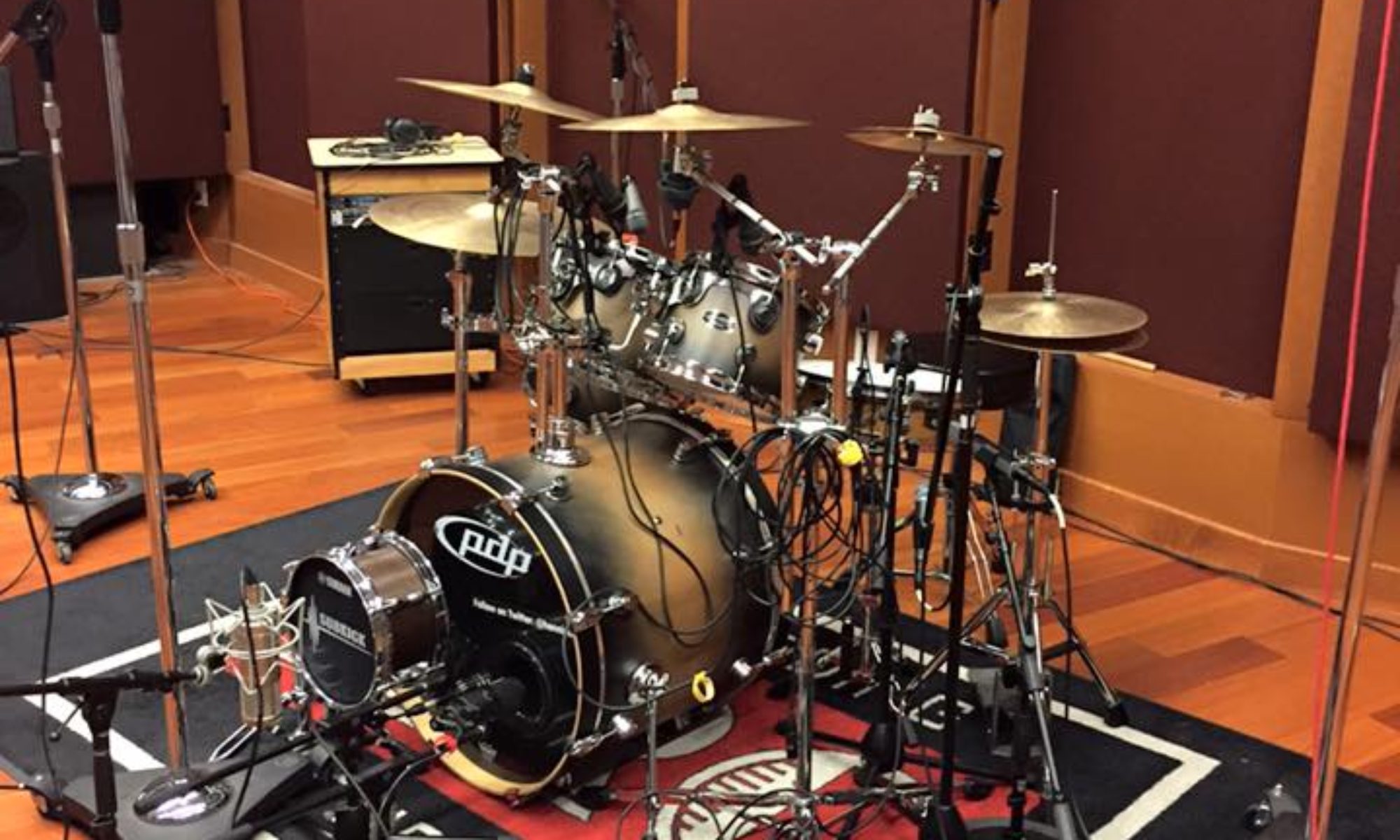


Online drum lessons come with a few familiar questions: Can you see me? Can you hear me? Am I getting my good side in this picture? Can you see my hands and feet? Arghhhh… so many questions!
Fortunately, getting started is easier than you might think. With the right camera position, a reliable internet connection, and something to practice on, you can begin learning drums from home.
Good news: you don’t need a studio. After so many years of playing and teaching, I can tell you that a solid online lesson comes down to four things: where your camera points, how your audio sounds, how stable your internet is, and what you’re hitting. Get those right and lessons over video can be nearly as effective as sitting next to me at the kit.
Here’s how I’d set it up if you were a new student calling in from your living room, garage or spare bedroom.
Start With the Basics: What You Need on Day One
To begin online drum lessons, you need:
- A device with a camera and microphone: a laptop, tablet or phone all work
- A stable internet connection
- Something to play on: a practice pad, an electronic kit or an acoustic kit
- Sticks and a place to sit at the right height
- A way to prop up your device so it stays where you put it
That’s the whole list. Everything below is about making those pieces work better, not about buying more gear.
Camera Placement for Online Drum Lessons
This is the part most students underestimate, and it matters more than anything else. As a drum teacher, I can’t fix what I can’t see. Grip, stick height, rebound, posture and foot technique are all visual, so your camera setup is basically my eyes.
Start with a wide view. Put your device a few feet back so I can see you from head to knees, along with the pad or snare in front of you. This shows posture, arm position and how you’re sitting.
Add a second angle if you can. A single camera can’t show everything. If you have a phone and a laptop, join the lesson from both devices (mute one so we don’t get feedback). Point one at your hands and the other at your feet or your full body. Even if you only use the second angle occasionally, it’s a big help.
Tips for a clear picture:
- Keep the camera steady. Use a tripod, a stand or a stack of books. A device balanced on a snare stand will wobble and drift.
- Light the room from the front. A lamp behind you turns you into a silhouette. Light that falls on your hands and sticks helps me see small movements.
- Avoid cutting off your hands. If a stick disappears out of frame on the upswing, I can’t check your stick height.
- Do a quick check before we start. Move your hands through a few strokes and make sure everything stays in view.
Audio Setup for Online Drum Lessons
Drums are one of the hardest instruments to transmit over video chat. They’re loud, sudden and full of sharp peaks, and video call software is designed for talking, not for snare hits. That’s why a few adjustments make a big difference.
Understand the problem first. Video apps use noise suppression and automatic gain control to clean up voices. Those same features can squash your drumming, cut off hits or make everything sound muffled.
Settings to look for:
- Turn off or reduce noise suppression if your app lets you.
- Look for an option labeled “original sound,” “music mode” or similar. This tells the app to stop treating your playing like background noise.
- Disable automatic volume adjustment so loud hits aren’t clamped down.
Microphone placement matters. A laptop mic placed right next to a snare will distort. Move the device back a bit, or use an external microphone set a few feet away so the loudest hits don’t overload it.
Playing along to tracks. When we work on songs, you’ll often play along to a recording. For the best results, use headphones for the track so it doesn’t bleed into your mic, and let me hear your drumming clearly.
Don’t chase studio quality. I’m not listening for a polished recording. I need to hear your timing, your dynamics and the shape of your grooves. Clear and consistent beats fancy.
Internet Requirements for Online Drum Lessons
A shaky connection can make a lesson frustrating, because delay and dropped audio make it hard to judge timing. A few habits help:
- Use a wired connection if you can. An Ethernet cable is more reliable than wifi, especially if your drum space is far from your router.
- If you’re on wifi, move closer. Sit within a good line of sight to the router, or consider a mesh extender for a garage or back room.
- Close other apps and streams. Video, downloads and cloud backups all compete for bandwidth during your lesson.
- Do a test run. Join a practice call before your first lesson so we can sort out any glitches ahead of time.
One honest caveat about timing. Because of the small delay in any video call, we can’t reliably play together in perfect sync. That’s normal for online lessons. Instead, we work in a call-and-response style: I play or demonstrate, then you play it back, and we trade ideas back and forth. It works well, and it’s actually a great way to build listening skills.
Practice-Pad Options: You Can Start Without a Full Kit
One of the most common worries I hear is, “I don’t have a drum set yet.” You don’t need one to begin. A lot of my students start on a pad, and it’s a smart way to build real technique before investing in a kit.
Here are your main options:
Practice pad. A basic pad is the simplest starting point. It’s quiet, portable and perfect for grip, rudiments, rebound and reading. You can practice anywhere, including apartments.
Pad on a stand. Mounting a pad on a snare stand or tabletop stand puts you at a realistic playing height and posture. It feels closer to the real thing than a pad on your lap.
Pad with a bass drum pedal. If you want to start developing foot technique, some setups let you add a pedal. Ask me before buying anything specific, since not every combination works well.
Electronic kit. If you’re ready to move beyond a pad, an electronic kit is quiet, takes up less space and lets you practice with headphones. It’s a good fit if you live somewhere noise is a concern.
Acoustic kit. If you already have one, great. Just be mindful of volume, and we can talk about mics and camera angles to make it work online.
What matters most is that you have something you can practice on regularly. A pad you use every day beats a kit you hardly touch.
Setting Up Your Space
A comfortable practice area makes online drum lessons easier and more enjoyable.
- Adjust your seat height so your thighs are roughly level and your arms can reach the playing surface naturally.
- Keep a metronome handy, either a physical one or a phone app (on a second device or with the volume low so it doesn’t clash with the call).
- Have a pen and a notepad nearby. I’ll often give you things to write down.
- Choose a spot with room to move and as few distractions as you can manage.
What a Typical Online Drum Lesson Looks Like
Once your equipment is ready, online drum lessons follow a familiar rhythm.
- A quick check of camera, sound and seating
- A warm-up for hands (and feet, if you have a pedal)
- Review of last week’s material
- New material, broken into small pieces, with me demonstrating and you playing it back
- A plan for the week so you know exactly what to practice
I can also send notation, recordings or short video demos between lessons so you always have something to refer back to.
Are Online Lessons Right for You?
Online lessons work especially well if you:
- Have a busy schedule and want to skip the drive
- Live outside the immediate area but still want a Sacramento drum teacher
- Prefer to practice and learn on your own gear in your own space
- Want flexibility to take lessons from home
They may be less ideal if you want to try a lot of different kits or need hands-on adjustments to your grip and posture. If you’re local, in-person lessons are always an option, and some students mix the two.
Ready to Get Started?
If you’ve been thinking about online drum lessons, you don’t need a perfect setup to begin. You need a camera that can see you, a pad to play on and a decent connection. I’ll help you with the rest.
As a Sacramento drum teacher with more than 40 years behind the kit, I’m happy to look at your space on a quick video call and tell you what to change before your first lesson. Get in touch to book your first online lesson.
FAQ
Do I need a full drum set for online drum lessons? No. A practice pad and sticks are enough to get started. We can build up from there as you decide what you want to invest in.
Can we really play together over video? Not in perfect sync, because of the delay. We use a trade-off approach instead: I demonstrate, you play it back, and we go back and forth.
What if my internet is slow or unreliable? Try a wired connection, move closer to your router and close other apps. If problems persist, we can run a test call and troubleshoot together.
Do I need an external microphone? Not necessarily. A built-in mic works if you place your device at a reasonable distance and adjust your audio settings, but an external mic can help with louder kits.
How many cameras do I need? One is enough to start. A second angle, such as a phone showing your hands or feet, is helpful but optional.
Can kids take online lessons too? Yes, with a parent nearby to help with setup. Younger students usually need a little extra help positioning the camera and keeping their seat height comfortable.